
No Result
View All Result
  • Business
  • National
  • World
  • Sports
  • Entertainment
    • ZABTHEATRE’23
  • Tech
  • Stories
  • Education
  • YourCut
  • Business
  • National
  • World
  • Sports
  • Entertainment
    • ZABTHEATRE’23
  • Tech
  • Stories
  • Education
  • YourCut
No Result
View All Result
No Result
View All Result

How to Make Easypaisa Account

Web Desk by Web Desk
November 8, 2022
in How-To Guides
Reading Time: 3 mins read
How to make Easypaisa Account

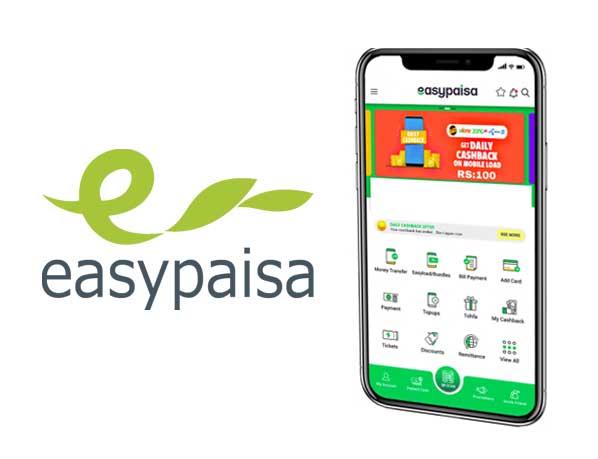
Easypaisa is a growing system with around 75000 outlets around Pakistan. Easypaisa account join is a way forward to develop an Easypaisa account and meet all your economic requirements of sending out and getting cash. Moreover, this is an empowering technique to pay your bills while resting in your home, disburse salaries, transfer donations, insurance amounts, financial savings, and a lot more. And all of these monetary deals are currently possible without an internet connection.

You can now send money to your family and friends with just one click of the Easypaisa account subscription. So, all you have to do is make your Easypaisa account, and there you go. Let me inform you exactly how this digital money transfer solution is so simple and reputable.

How to Create Easypaisa Account:

  • Download and install an Easypaisa mobile app. Click to Download
  • Upon effective installation, launch the application. how to open easypaisa account

  • Enter your mobile number.
  • Enter your CNIC number, date of issuance.
  • Produce a 5-digit pin code for account production.
  • Non-Telenor participants can also create an Easypaisa account by sending their mobile number to 0345-1113737. The treatment to send the message is the EP CNIC number and send it to 0345-1113737.

Following are Steps to open an Easypaisa account for Telenor Customer’s:

  • If you are a Telenor customer, call *786# from your phone to open up an account.
  • Produce a 5-digit pin code.
  • Re-enter the pin code which you developed.
  • Your Easypaisa account is produced.
  • Dial *786# to delight in all the solutions which Easypaisa uses.
  • Telenor individuals can also open their Easypaisa account by seeing any Easypaisa store or Telenor Franchise business within the country.

Non – Telenor customers to Open Easypaisa account on Jazz, Zong & Ufone:

  • Non-Telenor mobile users can open their accounts by sending out ‘EPCNIC number‘ to 0345-111-3737.
  • Wait on an Easypaisa Rep phone call who will ask for some verification.
  • Upon verification, you will certainly be asked to create a 5-digit pin code.
  • Currently, type PIN5-digit pin code verifies 5-digit pin code and sends it to 0345-1113737.
  • Keep in mind; you require to get in the pin code you developed in the above message.
  • After sending the message, a user will certainly obtain a verification SMS from 3737. In addition, the message will show the successful activation of their Easy paisa account.

So, this article was all about very easy paisa, its solution, and its benefits, along with just how to create an Easy paisa account. I hope this article will certainly be handy for you in creating an account is very easy paisa.


Read more Articles:

How to check Telenor Super Card Balance


Tags: how to create easypaisa accounthow to open Easypaisa account
Web Desk

Web Desk

Related Posts

How to get a Portugal visa from Pakistan
How-To Guides

How to get a Portugal visa from Pakistan

May 21, 2024
Immigrate to Canada in 2024
How-To Guides

Comprehensive guide on Canada immigration from Pakistan in 2024

May 20, 2024
Telecom companies raise concerns over FBR decision to block SIMs of non-filers
How-To Guides

Ufone Super Card Price – Latest Update 2024

May 17, 2024

Leave a Reply Cancel reply

Your email address will not be published. Required fields are marked *

TOP NEWS

Killed

Young trader killed during robbery bid in Karachi

by News Desk
December 2, 2024

A 22-year-old trader was tragically shot dead during a robbery attempt on New M.A. Jinnah Road on Sunday evening, according...

KSE-100 index lose over 500 points as PSX experiences negative trend

PSX soars over 1,200 points amid optimism on inflation and interest rate cuts

by News Desk
December 2, 2024

The Pakistan Stock Exchange (PSX) maintained its bullish momentum on Monday as the benchmark KSE-100 index surged 1,248.84 points, or...

PTI suspends Islamabad protest following deadly clashes, appeals for justice

PTI suspends Islamabad protest following deadly clashes, appeals for justice

by News Desk
November 27, 2024

The Pakistan Tehreek-e-Insaf (PTI) announced the suspension of its Islamabad sit-in early Wednesday after a day of intense clashes in...

PSX in boorish trend for second consecutive day; benchmark KSE-100 index lost over 700 points

KSE-100 Index surges over 600 points amid banking sector rally

by News Desk
November 25, 2024

Bullish sentiment dominated the Pakistan Stock Exchange (PSX) on Monday as the KSE-100 index climbed 621.85 points, or 0.64 per...

The Upcut is a news platform that brings you the latest news, developments from all walks of life, from all over the world. We cover Business, news from Pakistan and rest of the world, Sports, and Entertainment. You can also read Tech Reviews and How-To Guides for simple solutions and dailylife hacks.

BUSINESS   |   NATIONAL   |   WORLD   |   SPORTS   |   ENTERTAINMENT   |   TECH   |   HOW-TO GUIDES

  • Home
  • About Us
  • Privacy Policy
  • Editorial Guidelines
  • Contact Us
  • Stories

Copyright © 2022 The Upcut. All rights reserved.

No Result
View All Result
  • Business
  • National
  • World
  • Sports
  • Entertainment
    • ZABTHEATRE’23
  • Tech
  • Stories
  • Education
  • YourCut

Copyright © 2022 The Upcut. All rights reserved.

Go to mobile version